Plantify: AI Plant Identifier
- 4.4
- Rating
- 5.00M
- Installs
- Free
- Price

 Analysis by App-foxy
I approached Plantify: AI Plant Identifier as the kind of app you open with a leaf in one hand and a question in the other. It belongs to the education category, but it feels most useful in ordinary moments: checking a plant found on a walk, trying to understand a new houseplant, or looking for a sensible starting point when a pot suddenly begins to droop. Deep Flow Apps presents it as a free app, and its focus is clear: plant identification followed by practical gardening guidance.
That focus makes it more approachable than a traditional botany reference. I do not need to know whether I am looking at a tree, flower, or weed before beginning. I can start from the visual clue I have, then use the result to decide what to investigate next. The experience is not a replacement for a botanist, but it can turn a vague “What is this?” into a much more useful conversation about care, growing conditions, and possible problems.
There is also a reassuring amount of public interest around it. The app has a 4.4 average from around 78 thousand ratings and has passed 5 million installs. Those figures do not guarantee that every identification will be right, but they suggest that Plantify has found a substantial audience among curious beginners and casual gardeners.
You May Also Like

 Blood Strike: 2.5 Anniversary
Blood Strike’s Loadouts Turn Every Drop Into a Tactical Gamble
A close look at Blood Strike’s custom loadouts: how fast access to signature weapons reshapes its battle royale rhythm, rewards preparation, and narrows the gap between fights.

 Pandora - Music & Podcasts
Pandora’s Music Is Easy to Start, but Harder to Recover
Pandora’s strength is its low-effort path from a seed to a station. Its weak spot is how much confidence it asks you to place in connection, setup, and quiet recovery.

 8 Ball Pool
 Is Built on Rivalries, Rematches, and Routine
A close look at the rivalries, rematches, shared routines, and unanswered safety questions that turn a quick pool match into a persistent mobile community.

 Samsung Music
’s Quiet Strength Is Playing What You Already Own
Its reach comes less from spectacle than from dependable access to a personal library. That simplicity is both the app’s strongest retention engine and its ceiling.

 AccuWeather: Weather Radar
AccuWeather Review: A Quick, Clear Forecast for Everyday Decisions
For everyday plans, the best forecast is the one you can understand quickly. AccuWeather makes rain timing, radar, and local conditions easy to act on, with a few trade-offs.

 Hill Climb Racing
Why Hill Climb Racing Still Turns Crashes Into One More Run
A tiny car, a bumpy hill and one more upgrade: Hill Climb Racing keeps resurfacing because its simple chaos makes every near-miss feel personal.
More From Our News Desk



How Plantify feels when identification speed matters
The first thing I value in a plant identifier is not a long encyclopedia entry. It is a quick path from camera image to a shortlist of plausible answers. Plantify is built around that expectation. When I am standing beside an unfamiliar plant, the useful result is one that arrives soon enough to keep me engaged and gives me enough context to judge whether the suggestion makes sense.
In practice, speed should be understood as a complete workflow rather than just the time spent processing an image. A clear photo taken in good light gives the app a better starting point than a distant shot of an entire garden bed. I get better value by filling the frame with the leaf, flower, fruit, or bark that actually distinguishes the plant. A rushed picture can make any identification tool feel unreliable, while a deliberate image gives Plantify a fair chance to help.
My preferred routine is to take more than one useful view before settling on an answer. One image can show the shape of a leaf, while another reveals the arrangement of leaves along the stem or the appearance of a flower. This is one of the most practical ways to use an AI identifier: treat the first result as an informed lead, not as a final label. The extra few seconds spent photographing the right detail are usually more valuable than repeatedly asking the app to interpret a poor image.
The app is especially convenient for quick outdoor checks. If I encounter a plant during a walk, I can identify it while the visual details are still in front of me instead of trying to describe them later from memory. For a new houseplant, the same process helps me build a basic care reference without immediately searching through dozens of unrelated pages.
There is a trade-off here. A fast answer is useful only when it remains understandable. I would rather receive a reasoned possibility with relevant care context than a confident-sounding name that encourages me to water, prune, or move a plant without thinking. Plantify works best when its identification is used as the beginning of a check, especially for plants with similar-looking relatives.
What to do during heavier use
Plantify becomes more demanding when I use it as a gardening notebook rather than a one-question tool. A single identification is a simple task. A weekend spent sorting several plants, checking flowers at different stages, and comparing care guidance creates a much heavier session. That is when organization matters as much as recognition.
I find it helpful to separate identification from action. First, I capture the clearest image I can. Then I read the result and note the visible features that support it. Only after that do I consider care advice such as light, watering, or soil. This prevents a common mistake: applying generic care instructions to the wrong species simply because the first suggested name sounded familiar.
Another useful habit is to revisit a plant when it changes. A flowering plant may be easier to identify once its bloom opens, while a young specimen may become clearer after new leaves appear. Rather than forcing certainty from an early image, I can use Plantify at different stages and compare the overall picture. That makes the app more valuable over time than a one-off scan.
For people managing several indoor plants, repeated checking can also expose a weakness in the usual AI workflow: identification is not the same as diagnosis. A yellow leaf may be related to watering, light, age, pests, or a combination of causes. Plantify can help me establish what the plant might be, but I still need to inspect the pot, soil, leaf undersides, and surrounding conditions. The app should support observation, not replace it.
Heavy use also makes image quality more important. Indoor lighting can create harsh shadows or color casts that alter the appearance of leaves and flowers. I get more dependable results when I avoid glare, include a recognizable part of the plant, and take the picture close enough to show texture. This is a concrete advantage of a patient workflow: it reduces the chance that I mistake a camera problem for an app problem.
Reliability, confidence, and sensible verification
I would describe Plantify as a useful first opinion rather than an authority. That distinction matters because plant identification has real exceptions. Several species can share a similar leaf shape, and a young plant may look very different from its mature form. Cultivars, hybrids, seasonal changes, and damaged leaves can all make visual recognition harder.
When the result seems plausible, I still compare it with what I can see. Does the suggested plant normally have this leaf arrangement? Is the flower shape consistent? Does the habitat make sense? These questions take little time and protect me from building a care routine around a mistaken match. The app is most reliable when I use it alongside basic observation instead of treating the label as unquestionable.
This is particularly important before consuming a plant, handling an irritating species, or making a decision about toxicity. A visual identifier should not be my only safety check in those situations. Plantify can help narrow the possibilities, but a high-stakes conclusion deserves confirmation from a trusted botanical or medical source.
For everyday gardening, the reliability question is slightly different. I am usually not trying to publish a scientific record; I am trying to understand whether a plant prefers brighter light, more careful watering, or a different growing environment. In that setting, even an imperfect identification can be useful if it points me toward the right questions. The danger comes from assuming that broad advice applies equally to every plant with a similar appearance.
The app’s 4.4 average and large user base make it easier to take seriously as a practical tool, but I would not interpret popularity as proof that every result is accurate. My confidence rises when the image is clear, the plant has distinctive features, and the suggested guidance matches the visible specimen. My confidence falls when the photo is blurry, the plant is immature, or several related species could look alike.
Stability and recovering from an imperfect result
A reliable identification app needs to be forgiving. Sometimes the first image is simply not good enough. Sometimes the subject moves, the light changes, or the most important feature is outside the frame. Plantify is easier to use when I treat a failed attempt as a prompt to improve the input rather than as a dead end.
My recovery process is straightforward: retake the image, move closer, remove distracting background detail, and include a second angle. I also avoid photographing an entire crowded flowerbed when one leaf or bloom is the actual subject. This approach gives the app cleaner information and makes the result easier for me to evaluate.
There is a broader lesson here about stability. An app can appear unstable when the real issue is an inconsistent workflow. If I alternate between distant landscape photos and close-up leaf images, the results will naturally vary. Keeping the subject, lighting, and framing consistent lets me judge Plantify more fairly and makes repeated use less frustrating.
For a casual user, this recovery method is more important than advanced botanical knowledge. I do not need to memorize plant families to improve my results. I only need to show the app the feature that separates one possibility from another. That is a practical strength of the concept: it encourages me to look more closely at plants instead of relying on a vague visual impression.
Device limits, cost, and who should use it
Plantify supports devices running Android 7.0 or later, which gives it a broad reach across older and newer Android phones. That matters for a camera-based education app because many people will use an existing phone while gardening rather than buying a dedicated device. The experience will still depend on the phone’s camera, available storage, screen quality, and general responsiveness, so an older handset may feel less comfortable during repeated image-based sessions than a recent one.
The app is free to install and carries an Everyone age rating, making it suitable for families, students, beginner gardeners, and anyone who wants a low-pressure way to explore plants. However, in-app purchases range from $6.99 to $364.99 per item. That is the detail I would pay attention to before committing to any paid option. A free starting point is welcome, but I would review each purchase carefully and decide whether the added value matches how often I actually identify plants.
Plantify is a good fit for someone who wants an accessible visual starting point, especially if the alternative is searching with uncertain words such as “small green leaf with white spots.” It is also useful for learners who want to connect names with real specimens in their neighborhood or home. Parents and children can use the identification process as a way to turn a walk into a small observation exercise, provided an adult handles safety questions.
I would skip it as my main tool if I needed formal botanical certainty, detailed regional field research, or a substitute for professional advice. A dedicated field guide may be better for a serious naturalist who wants habitat notes, identification keys, and careful comparisons. A local nursery or extension service is a stronger choice when a valuable plant is sick and the correct diagnosis affects treatment. Plantify sits between those options: more convenient than a reference book for a quick question, but less authoritative than expert confirmation.
How it compares with ordinary plant searches
Searching the web manually can produce excellent information, but it often requires knowing what to type. If I already know the plant’s likely family or common name, a search engine and a reputable gardening source may provide deeper instructions than an AI identifier. If I do not know the name, however, I can waste time scrolling through images that resemble one another.
Plantify changes the starting point from vocabulary to observation. I show the plant first, then use the suggested identity to guide further research. That is its clearest advantage over ordinary search. It reduces the initial friction and makes the question more concrete.
Compared with a printed guide, it is more convenient when I am away from home and less dependable as a complete reference. A book encourages careful comparison across multiple features and does not present a single visual guess as the natural endpoint. Compared with asking a gardening community, Plantify is faster and private, while a knowledgeable human may notice context that an image misses, such as soil, climate, or a recurring pest pattern.
The best combination is not choosing one method forever. I use Plantify to narrow the field, then verify important details with a trusted source or experienced person. That blended workflow gives me speed without surrendering judgment.
My practical verdict after using it
Plantify: AI Plant Identifier is most convincing when I use it as a quick visual companion for curiosity and everyday plant care. It helps me move from an unknown specimen to a useful next step, and its education focus makes the process less intimidating than starting with technical terminology. The app is free to begin, works on Android devices from version 7.0 onward, and comes from Deep Flow Apps with a current version of 1.4.9.
Its performance depends heavily on the quality of the image and the distinctiveness of the plant. That is not a minor detail; it should shape expectations from the first use. Clear photos, multiple angles, and sensible verification make the experience more dependable. Poor lighting, immature plants, and high-stakes questions expose the limits of image-based recognition quickly.
I would recommend it to a beginner who wants an immediate way to explore flowers, trees, and houseplants, or to a gardener who needs a convenient first pass before researching further. I would not recommend relying on it alone for toxicity, consumption, serious disease treatment, or formal identification. The in-app purchase range also means I would stay mindful of what I am selecting rather than assuming every useful function must be paid for.
My bottom line is simple: Plantify earns a place on my phone because it makes plant curiosity actionable without demanding specialist knowledge. It is fastest and most useful when I give it a good image and treat its answer as a well-informed starting point. Used that way, it offers a practical balance between the speed of an AI tool and the caution that real gardening still requires.
FAQs for Plantify: AI Plant Identifier
01What is Plantify: AI Plant Identifier, and how does it work?
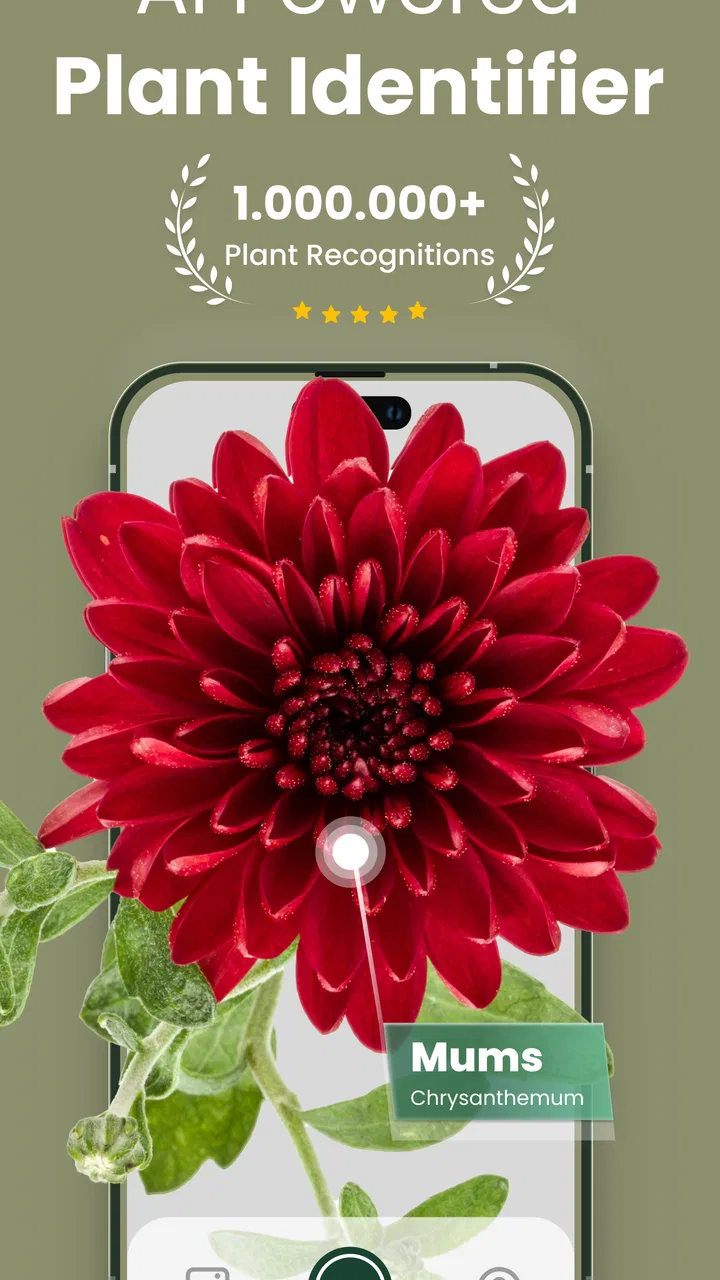
Plantify is an AI-powered app designed to identify plants instantly. By simply taking a photo of a plant, the app analyzes the image and provides detailed information about the plant species, care tips, and more. It's a perfect tool for gardeners, botanists, and plant enthusiasts who want to learn more about the flora around them.
02Is Plantify: AI Plant Identifier available for both Android and iOS?
Yes, Plantify is available for download on both Android and iOS platforms. You can find it on the Google Play Store for Android devices and the Apple App Store for iOS devices. Ensure your device meets the app's system requirements for optimal performance and features.
03Does Plantify require an internet connection to identify plants?
Plantify requires an internet connection for accurate plant identification. The app uses cloud-based AI technology to analyze images and provide precise results. However, some offline features may be available, such as accessing previously saved plant information and tips, but real-time identification requires connectivity.
04Are there any subscription fees or in-app purchases in Plantify?
Plantify offers a free version with basic features, but there are subscription options available for users who want access to premium features such as advanced plant care guides, identification history, and ad-free usage. In-app purchases may also include special content or tools to enhance the plant identification experience.
05How accurate is Plantify in identifying plants?
Plantify boasts a high accuracy rate due to its advanced AI algorithms and extensive plant database. While no app can guarantee 100% accuracy, Plantify continuously updates its database and learning models to improve identification precision. Users can contribute by providing feedback or corrections to help enhance the app's accuracy.
Pros
- Instant plant identification with high accuracy.
- User-friendly interface for easy navigation.
- Extensive plant care tips and guides.
- Offline mode available for remote areas.
- Regular updates with new plant species.
Cons
- Occasional misidentification with rare species.
- Some features require a premium subscription.
- Advertisements can be intrusive at times.
- Limited language options for global users.
- Requires a stable internet for best results.

Plantify: AI Plant Identifier
Gallery